ISERA CHIP / COMPILER
ISERA CompilerFrom model to NPU package.
Turns your ONNX model into a TURQ NPU package. Included with TURQ Kit and TURQ IP licences; compilation runs on your own computer.
TOOLCHAIN
Inside the compiler.
Model source
- PyTorch
- ONNX
Model conversion and optimisation
- 01ParsingModel parser
- 02OptimisationGraph optimisation
- 03Resource allocationResource allocator
- 04CompilationModel compiler
Checked at every stage
- ValidationNumerical accuracy analysis
- ProfilingResource usage analysis
Compiled model
.binExecutable file for TURQ NPUPROCESS
Four steps to live inference.
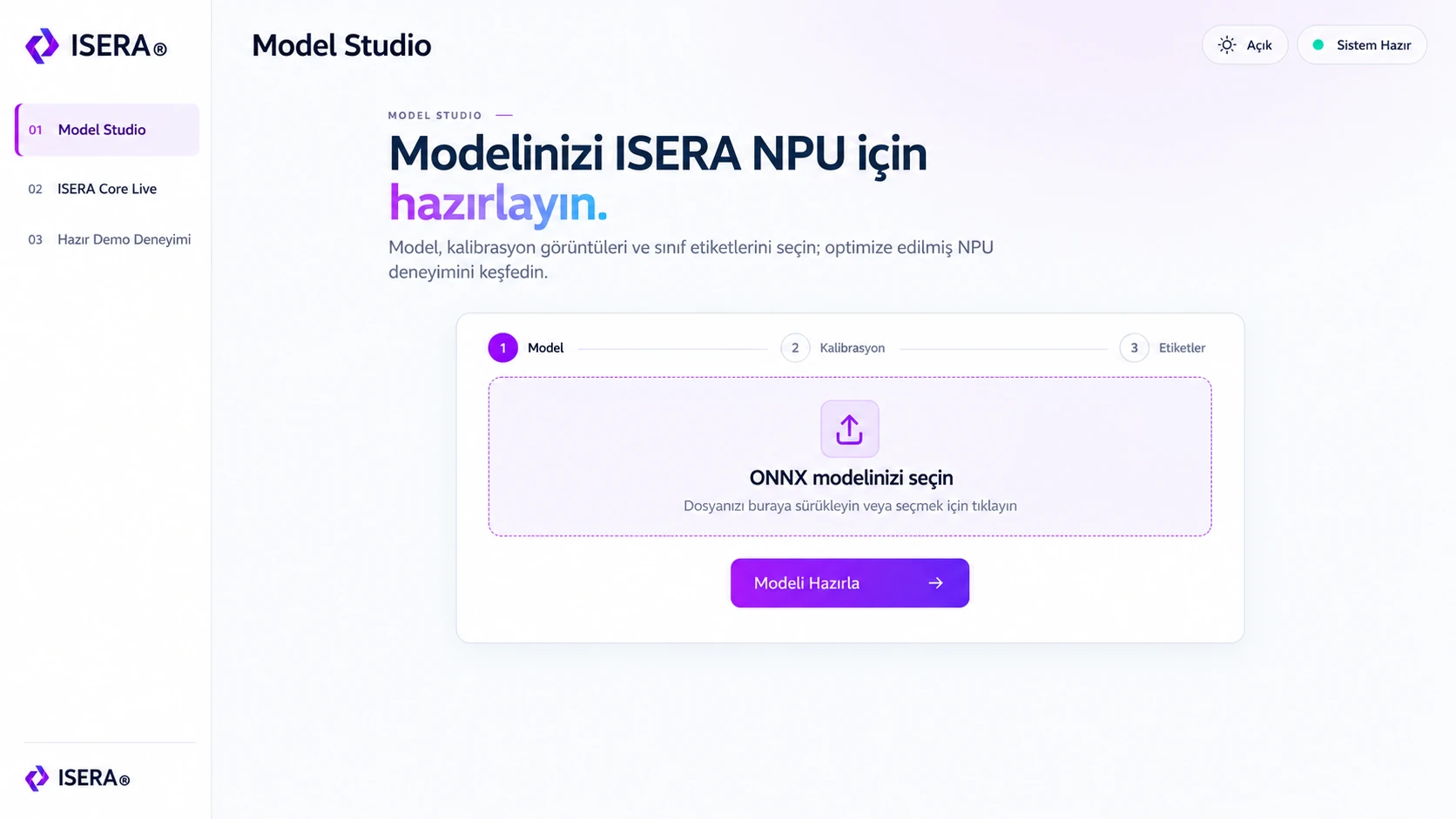
- 01Upload
- 02Calibrate
- 03Compile
- 04Go live
01 · UPLOAD
Load your model.
Select an ONNX model; PyTorch models are exported to ONNX. Structure and operators are checked for NPU compatibility.
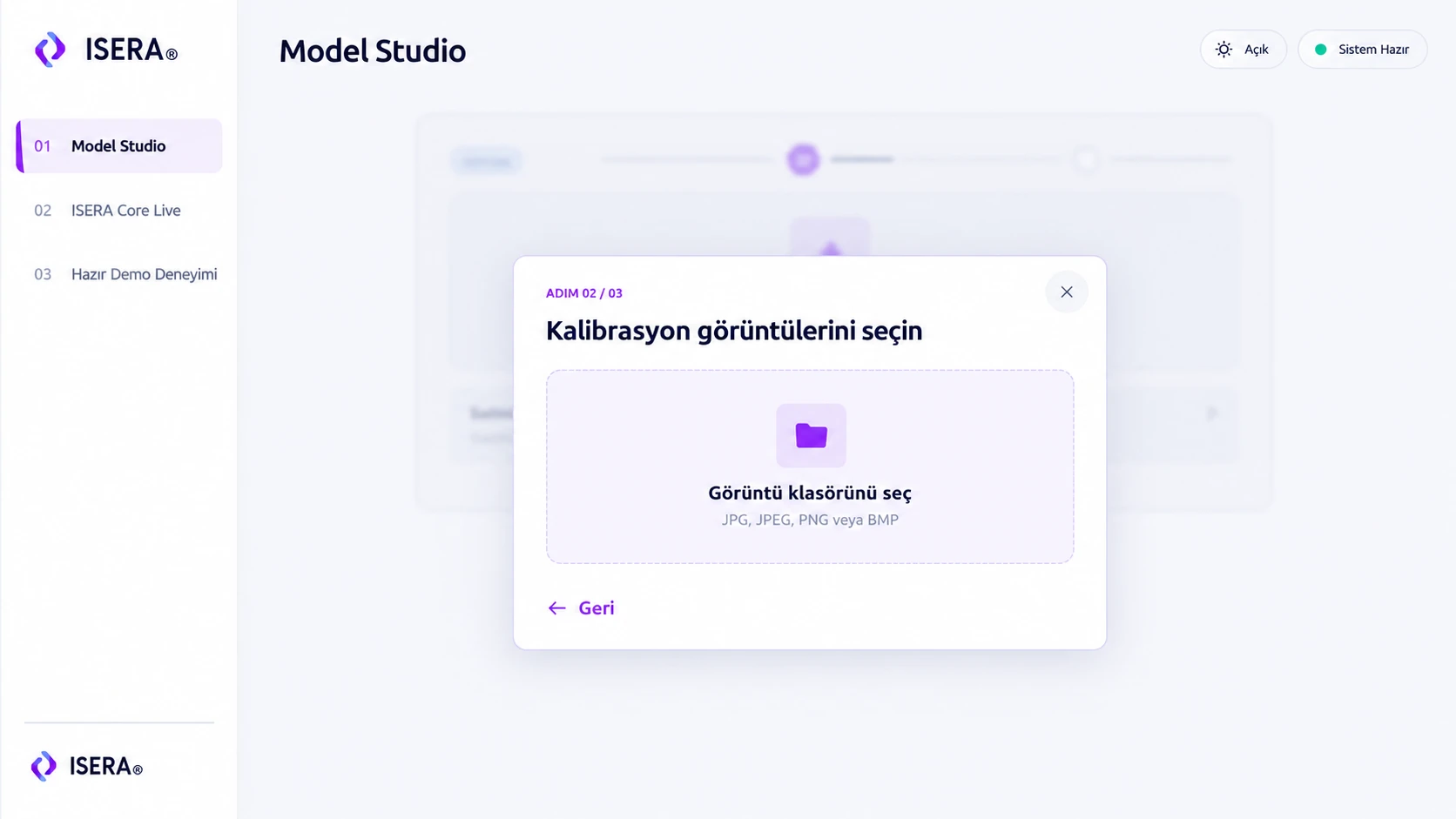
02 · CALIBRATE
Calibrate with sample images.
Representative images set the scale values used to prepare the model.
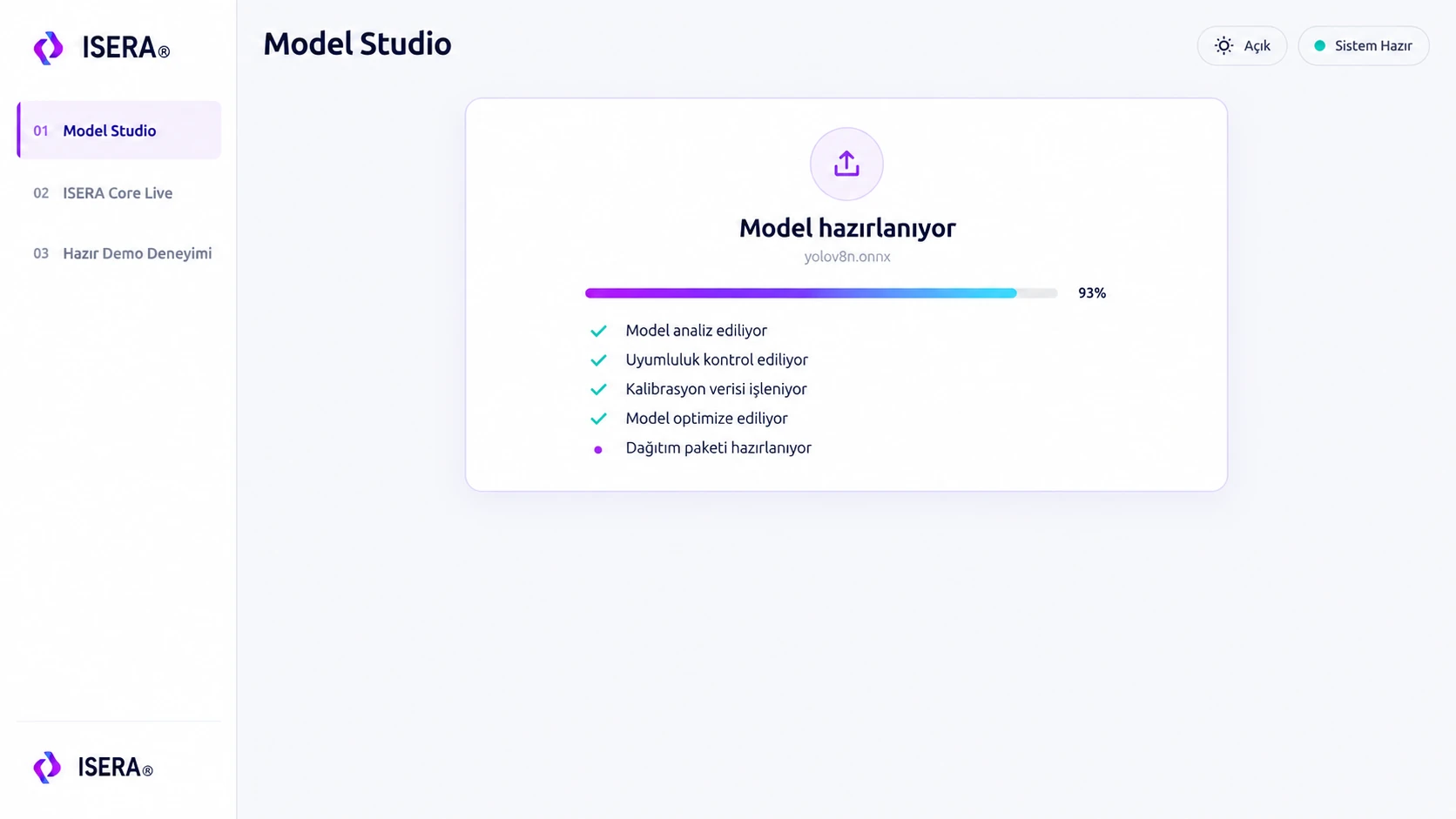
03 · COMPILE
The model is prepared for the NPU.
Every step from analysis to packaging is visible in the interface.
- Model analysis
- Compatibility check
- Calibration data
- Optimisation
- Deployment package
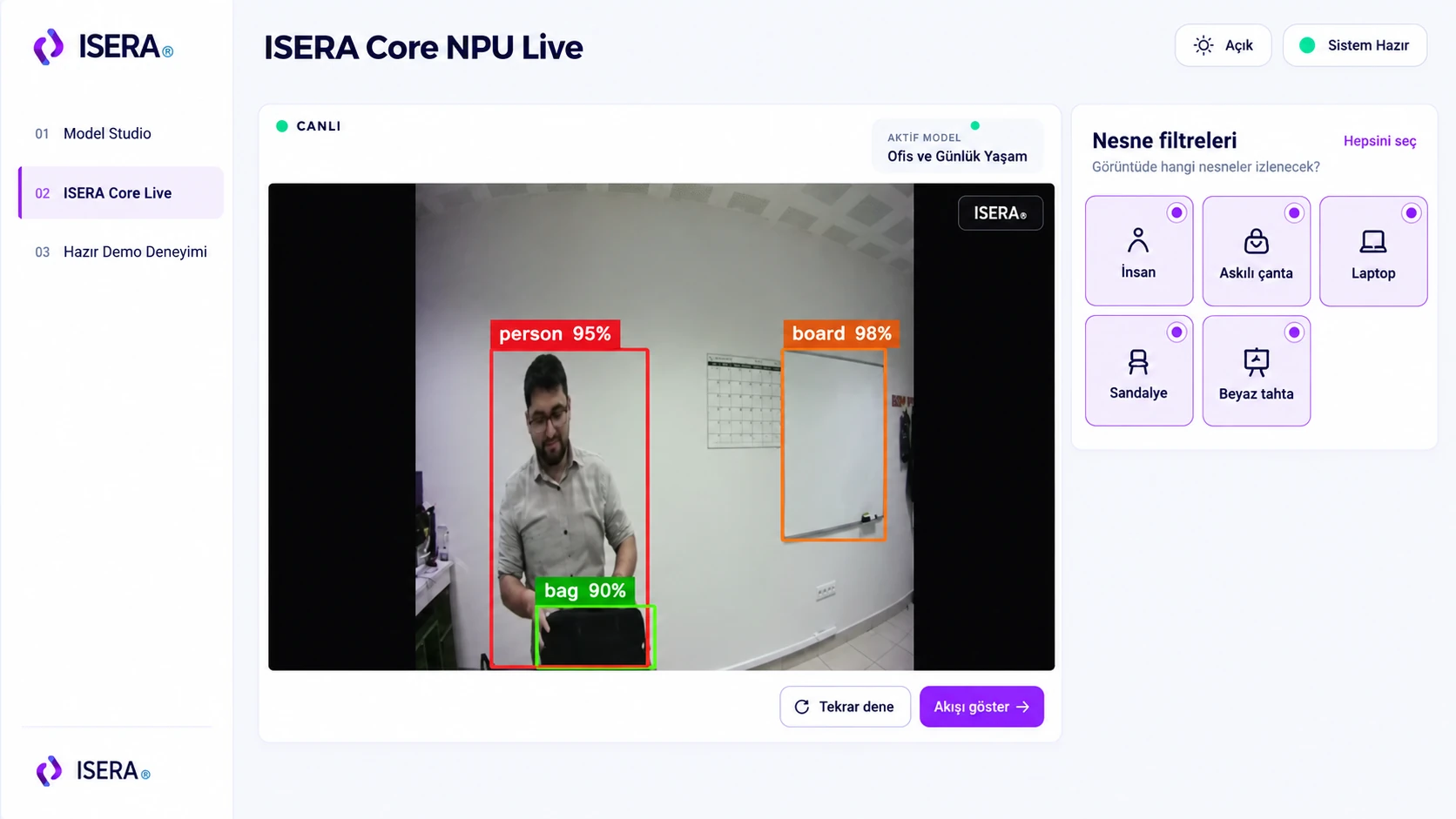
04 · GO LIVE
The package runs on the device.
The runtime loads the package; the NPU runs inference on live video and results return to the application.
Confidence scores belong to a sample frame; they are not overall accuracy.
Let’s try your model on TURQ NPU together.
Real interface screens; process steps are simplified.